
Business Expense Tracker Template
What if the secret to growing your company wasn’t just about making more money, but about truly understanding where it all goes?
For many owners and managers, keeping tabs on spending feels like a chore. It’s easy to lose receipts or forget what a purchase was for. This guide is here to change that. We will show you how a simple, structured system can bring clarity to your finances.
Using the right tool can save you hours. It helps cut down on mistakes and gives you a clear picture of your cash flow. You’ll see exactly how money moves through your different operations.
Whether you’re running things solo or leading a team, there’s a solution for you. We’ll walk through everything from basic spreadsheets to more automated options. Our friendly, step-by-step approach makes financial management feel less intimidating and more empowering.
By the end, you’ll know how to pick, customize, and use a system that fits your unique needs. Let’s turn tracking from a headache into your greatest advantage.
Key Takeaways
- A well-organized system saves time and reduces financial errors.
- Gaining clarity on spending patterns is crucial for making smart decisions.
- Options range from simple spreadsheets to advanced automated tools.
- The right solution can be tailored to fit any company size or technical skill level.
- Proper implementation turns financial tracking from a chore into a strategic advantage.
- This guide provides a friendly, practical approach to managing your money.
Introduction: The Importance of Tracking Business Expenses
Financial clarity isn’t just about numbers—it’s about understanding the story behind every transaction. When you know where each dollar goes, you gain powerful insights that drive smarter decisions.
Overview of Expense Tracking Benefits
Consistent monitoring of spending patterns brings tangible advantages to any organization. You’ll find budget forecasting becomes more accurate and tax season feels less stressful.
Proper financial tracking creates visibility across all operations. This helps prevent errors and establishes clear accountability among team members.
The ability to quickly identify cost-saving opportunities transforms how you manage cash flow. Regular review of spending data reveals patterns that might otherwise go unnoticed.
How Accurate Expenses Impact Small Business Success
Precise financial records directly support growth and sustainability. They enable informed decision-making that can weather economic challenges.
Solid documentation strengthens loan applications and ensures compliance with regulations. Companies with disciplined tracking systems are better positioned for long-term profitability.
| Financial Aspect | Without Tracking | With Consistent Tracking | Key Benefit |
|---|---|---|---|
| Budget Planning | Estimates and guesses | Data-driven forecasts | Improved accuracy |
| Tax Preparation | Last-minute scrambling | Organized documentation | Reduced stress |
| Cash Flow Management | Reactive responses | Proactive adjustments | Better control |
| Cost Identification | Hidden spending patterns | Visible opportunities | Increased savings |
This approach turns routine record-keeping into a strategic advantage. The right system makes the process manageable while delivering significant returns.
Understanding Business Expenses and Expense Categories

Organizing your financial outflows starts with a simple yet powerful step: sorting them into logical groups. This process, called categorization, turns a messy list of payments into clear, actionable data.
When you group similar costs together, you can easily see where your money is going. This clarity is the foundation for smart budgeting and strategic planning.
Different Types of Business Expenses
Not all costs are the same. Understanding the main types helps with accurate bookkeeping and tax reporting.
Common classifications include:
- Operating Expenses: These are your day-to-day costs for running your company, like rent, utilities, and payroll.
- Capital Expenses: These are larger investments meant to benefit the company long-term, such as equipment or property.
- Cost of Goods Sold (COGS): These are the direct costs tied to producing the products you sell.
- Miscellaneous Expenses: This category covers unforeseen or irregular costs that don’t fit elsewhere.
It’s also helpful to know if an expense is fixed (stays the same each month) or variable (changes based on activity).
Key Expense Categories for Small Businesses
For a small business, creating specific categories makes tracking even more useful. Think about the common areas where money is spent.
Typical groupings include office supplies, travel and meals, marketing, professional services, and technology costs. Consistent use of these labels makes year-end reporting much smoother.
This system lets you analyze spending by department or project. You gain valuable insights into which areas use the most resources.
Getting Started with Your Business Expense Tracker Template
Building your custom financial dashboard is easier than you think, and it all starts with these core setup steps. We’ll guide you through the initial process to get you up and running quickly.
The goal is to create a system that feels intuitive, not intimidating. A solid foundation now saves you time and prevents headaches later.
Essential Setup Steps
Your first decision is choosing where to build your system. Each platform offers distinct advantages depending on your needs.
Consider these popular options:
- Google Sheets: Ideal for collaboration and free to use. It’s cloud-based, so you can access it from anywhere.
- Microsoft Excel: A powerful choice with advanced features, often included in a Microsoft 365 subscription.
- Dedicated Apps: For maximum automation, consider specialized apps that can scan receipts and sync data.
Once you’ve picked your tool, focus on the layout. A clear structure is key for easy data entry and reporting.
Start with these fundamental columns: Date, Description, Category, Amount, and Payment Method. Each transaction gets its own row. This consistency turns raw data into useful information.
Finally, tailor the categories to your specific operations. You might add columns for project codes or client names. Start simple and add complexity only as you need it. This approach ensures your system remains manageable and effective.
Navigating Google Sheets, Excel, and Other Tools
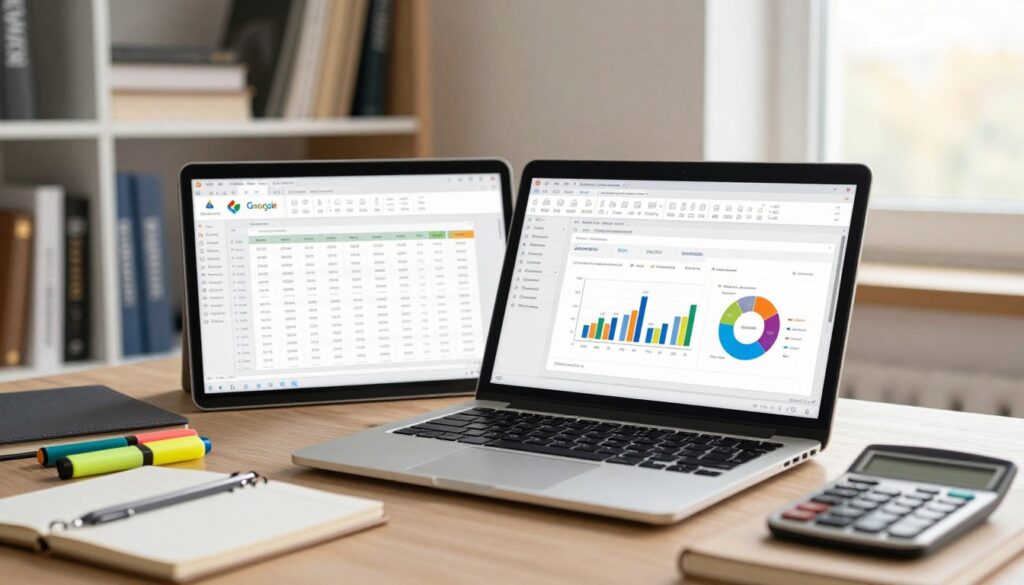
Finding your ideal financial tracking platform requires matching your specific workflow with the right features. The good news is there are excellent options for every skill level and budget.
Choosing the Right Software for Your Needs
Google Sheets stands out for its zero cost and user-friendly interface. It automatically saves to the cloud and allows real-time collaboration from any device. This makes Google Sheets perfect for teams needing quick access.
Microsoft Excel offers powerful calculation capabilities for complex financial modeling. Its advanced formula options and offline functionality appeal to users requiring sophisticated analysis. The flexibility of Excel makes it a prevalent choice.
For those seeking more advanced functionality, tools like Grist provide database-like features while maintaining a familiar spreadsheet interface. The drag-and-drop editor lets you customize dashboards to fit your exact needs.
| Platform | Best For | Key Features | Learning Curve |
|---|---|---|---|
| Google Sheets | Collaborative teams | Cloud-based, real-time editing | Beginner-friendly |
| Microsoft Excel | Advanced analysis | Powerful formulas, offline access | Moderate |
| Grist | Structured data management | Database functionality, automation | Intermediate |
Consider your team size and technical comfort when selecting your tools. The best way forward is choosing software that feels sustainable for daily use rather than the most complex option.
Customizing Your Expense Tracker for Your Business
Your company’s spending patterns are as unique as your fingerprint, demanding a customized approach to categorization. A generic system might capture basic data, but a personalized framework reveals the insights that drive growth.
Think about your daily operations. What specific costs recur most often? Which details would help you make smarter decisions? Answering these questions transforms your financial tool from a simple record-keeper into a strategic asset.
Tailoring Categories and Columns
Start by examining your industry’s unique needs. A freelance designer might require project codes and client names, while a restaurant owner needs separate columns for food costs and kitchen supplies.
Consider adding custom fields that capture your most relevant information. Property managers could include address columns, and consultants might track hours alongside costs. These tailored categories make reporting more meaningful.
Incorporating Vendor and Transaction Details
Complete vendor information becomes invaluable during audits or negotiations. Include names, contact details, and payment terms for each supplier.
Each transaction should tell a clear story. Record the exact date, full amount without rounding, payment method, and a descriptive note about the purpose. This level of detail supports thorough expenditure reviews.
| Business Type | Key Categories | Essential Columns | Special Details |
|---|---|---|---|
| Freelance Designer | Software, Marketing, Client Meetings | Project Code, Client Name | Hourly rates, Milestone dates |
| Restaurant Owner | Food Inventory, Equipment, Staff | Supplier, Kitchen Section | Waste tracking, Seasonal menus |
| Property Manager | Maintenance, Utilities, Taxes | Property Address, Tenant | Emergency repairs, Lease terms |
| Consultant | Travel, Research, Subcontractors | Client Project, Hourly Basis | Retainer fees, Expense approvals |
Remember, customization is an iterative process. Begin with fundamental categories and refine your system as you discover what information proves most valuable for your decision-making.
Leveraging Advanced Features and Automation Tools

Imagine cutting your financial paperwork time by over 9 hours every single week. Modern automation features make this possible by handling the tedious parts of financial tracking for you.
These advanced features transform how you manage financial data. Instead of manual entry, smart tools do the heavy lifting while you focus on growing your company.
Automated Receipt Scanning and Data Entry
Services like Shoeboxed revolutionize receipt management. Simply photograph paper receipts with your phone or use their Magic Envelope service—mail physical receipts to professionals who digitize and categorize them.
The platform even syncs with Gmail to automatically capture digital receipts. This process extracts vendor, date, and amount data without manual intervention.
These automation features save significant time while improving accuracy. Your financial tracking becomes more consistent and reliable.
Integrations with Accounting Software
Seamless connections to platforms like QuickBooks, Xero, and Wave Accounting create a unified financial system. Export categorized expenses with one click instead of re-entering data.
Tools like Grist allow team members to enter expenses directly while maintaining proper access controls. Dashboards update automatically as new information arrives.
While these advanced features might seem complex initially, most services offer free trials. The initial setup time pays off through ongoing efficiency gains in your financial process.
Visualizing Your Data with Charts and Reports
Raw numbers tell a story, but visual charts make that story come alive in ways that instantly reveal patterns and opportunities. When you transform columns of financial data into clear visual displays, complex information becomes easy to understand at a glance.
This approach helps you quickly identify where resources flow throughout each month. You’ll spot trends that might otherwise remain hidden in spreadsheets.
Before diving into specific chart types, let’s explore how to structure your information for effective analysis.
Creating Dynamic Summary Tables
A well-organized summary table provides the foundation for all your visual reports. Start by compiling your monthly spending into a cohesive format.
Your table should include these essential columns to give you a complete view of each transaction. This structure makes it easy to calculate totals and compare periods.
| Date | Category | Expense Detail | Amount |
|---|---|---|---|
| 01/15/2024 | Marketing | Social media ads | $250.00 |
| 01/18/2024 | Office Supplies | Printer paper | $45.50 |
| 01/22/2024 | Utilities | Internet service | $89.99 |
| Monthly Total | $385.49 |
For annual analysis, aggregate data from each monthly table. This gives you a year-to-date summary that highlights seasonal patterns.
Using Graphs to Track Spending Trends
Different chart types serve distinct purposes in your financial analysis. Each visualization method reveals unique insights about your spending habits.
Pie charts beautifully show category proportions. You’ll immediately see which areas consume the most resources each month.
Line charts excel at tracking changes over time. They help identify spending patterns across multiple months or years.
The right visualization turns abstract numbers into concrete insights that drive smarter decisions.
Bar charts work well for side-by-side comparisons. Use them to contrast the same month across different years or compare departments.
Most spreadsheet tools include simple chart builders that create professional visuals with just a few clicks. You don’t need to be a data expert to build effective reports.
Modern dashboards automatically update as new entries arrive. They often include drill-down capabilities, letting you click on specific categories for detailed views.
Implementing the Business Expense Tracker Template for Effective Expense Management

Implementation transforms your chosen financial framework from a static document into a dynamic management tool. This practical phase bridges planning with daily operational control.
Several excellent free options await your selection. Smartsheet’s Small Business Expense Report Template automatically calculates totals when you enter amounts. Monday’s Excel Spreadsheet Expense Tracker includes approval workflow columns. Vertex42 offers a combined income and expense worksheet for comprehensive tracking.
Step-by-Step Guide to Using the Template
Begin by accessing your selected system. For Google Sheets templates, click File > Make a Copy to create your personal version. Upload Excel files to Google Sheets for cloud-based accessibility.
Enter your first transaction in an empty row. Include the exact date, clear description, appropriate category, and precise amount. Add receipt references or notes for context.
Establish sustainable habits by recording costs daily rather than weekly. Review entries regularly for accuracy. Reconcile with bank statements monthly to catch missing transactions.
This consistent approach turns financial tracking from a chore into a strategic advantage. Your system becomes an invaluable tool for informed decision-making.
Data-Driven Decision Making and Expense Analysis
Moving from simply logging costs to actively analyzing them is where real financial power begins. Your collected information transforms into a strategic tool for smarter choices and improved profitability.
Let’s explore how to interpret your financial reports for meaningful insights.
Interpreting Summary Tables and Reports
Your summary tables reveal spending patterns over time. Look for categories where costs are increasing faster than revenue. This signals an area needing attention.
Spotting anomalies is also key. A sudden spike in a usually stable category warrants investigation. Compare actual spending against your budget to see where you’re on track.
Recognize seasonal fluctuations. Some costs naturally rise and fall. Understanding these cycles helps with accurate forecasting and cash flow management.
Strategies for Cost Reduction and Growth
Use your analysis to find savings. Consolidate vendors for better pricing. Eliminate underutilized subscriptions. Negotiate rates with frequent suppliers.
Your data also guides growth decisions. Determine which marketing channels deliver the best return. Assess if hiring new staff is feasible based on current margins.
Understanding tax rules is crucial. For example, advertising fees are fully deductible, while client meals are only 50% deductible. This knowledge impacts your overall financial planning.
Regular review of your reports with a critical eye turns numbers into actionable strategies. Ask why costs exist and if they deliver proportional value.
Conclusion
What separates thriving companies from struggling ones often comes down to one fundamental practice: understanding their spending patterns. Implementing a solid financial system provides the clarity needed to make confident decisions.
Whether you choose a simple spreadsheet or an automated tool, consistency is key. Regular tracking creates the foundation for meaningful analysis that reveals opportunities for growth.
The time invested in setting up your system pays dividends through better cash flow management and strategic planning. Start with whatever approach feels most comfortable and refine it as you go.
Remember, financial management isn’t just about controlling costs—it’s about gaining the insights needed for long-term success. With the right habits, any owner can master their company’s financial story.
FAQ
What is the best way to track my company’s spending?
How do I set up categories for my small business expense sheet?
Can I use this kind of template if I’m not good with spreadsheets?
What are the benefits of using Google Sheets over Excel for this?
Are there tools that can automate data entry from receipts?
How can the data from my tracker help me make better decisions?

Sharon Molly is a content creator in lifestyle, fashion, and travel, delivering style-savvy advice and destination insights to inspire confident living. With a background in digital media, she combines aesthetics with practical guidance for modern women on the go.